Do Personal AI Agents Use WebMCP? (October 2026 Benchmark)
AI Summary
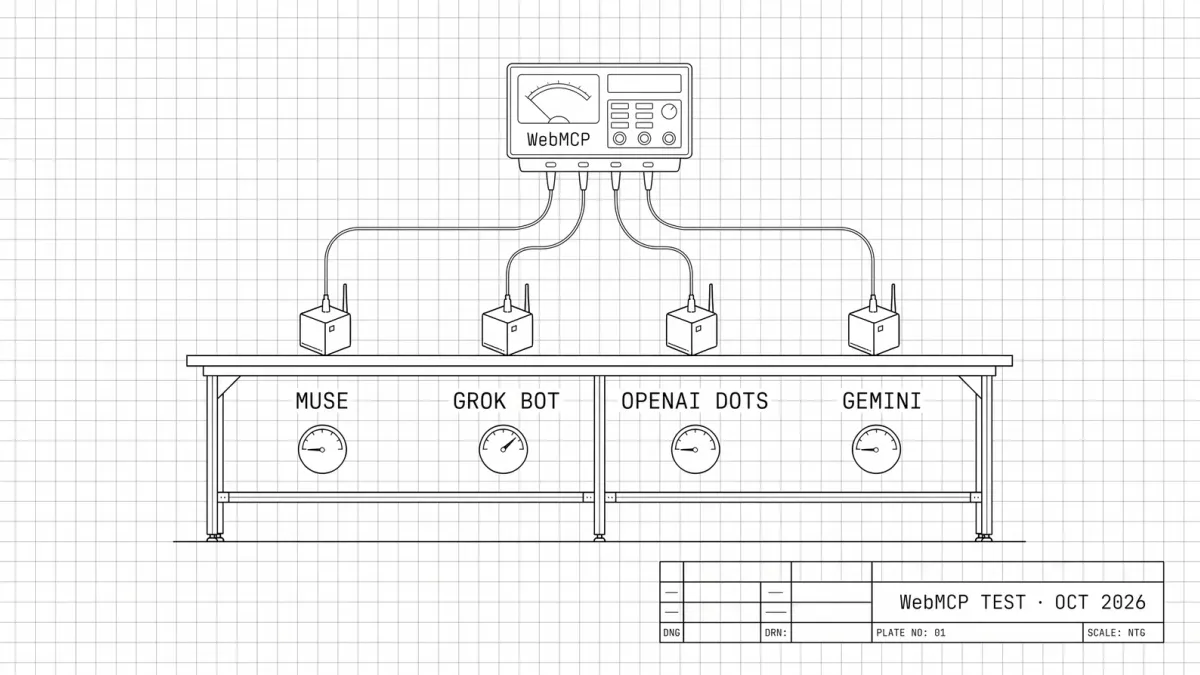
Quentin Yacoub tested whether personal AI agents actually use WebMCP. Meta Muse, Grok Bot, OpenAI Dots and Gemini answered three questions on his site, then tried to book a car and fill in a form on an AEM test site. He compares their answers, speed and log traces, and what it means for SEO and GEO.

Table of Contents
Cet article est aussi disponible en français : Les agents IA utilisent-ils WebMCP ? (benchmark octobre 2026)
WebMCP is getting adopted fast, by browsers and by big platforms. Chrome and Microsoft Edge are both testing it through origin trials. Since August 2026, every Shopify store built on Liquid exposes WebMCP tools to search the catalog and manage the cart, and Shopify extended them to checkout in September. Cloudflare is also testing, in a developer preview, an option that adds WebMCP to any site without touching its code.
So I decided to test it on my own website. I built search_news, a WebMCP tool that lets an AI agent search my SEO, GEO & AI news directly instead of clicking through pages. I explain how in How to Build a WebMCP Tool.
But building a tool is one thing. Do personal AI agents actually use WebMCP? To find out, I ran a benchmark: four agents, three questions on my site, from the most open to the most specific, every run recorded, and a check of what reached my logs and my analytics. I then gave the same agents two more concrete tasks on an AEM test site that also exposes WebMCP tools: booking a rental car and submitting a form.
Note: this article gets technical in places. If you just want the takeaways, click here to have ChatGPT summarize it for you without the jargon.
How I Ran the Personal AI Agents Benchmark
The Personal Agents I Tested
On October 13, 2026, I tested four mainstream personal AI agents:
- Meta Muse: free account, web app.
- Grok Bot: paid account, in the desktop app.
- OpenAI Dots: ChatGPT Pro account.
- Gemini: Google AI Ultra account, with Gemini Spark (the Task mode of the Gemini app).
Each question started in a new conversation, and I cleared the agent’s memory between questions when it had one. When an agent stopped to ask me something, I gave it one short answer.
The Three Questions
Each agent got the same three questions:
- Q1, an open question: “On quentinyacoub.com, find every news item about Gemini in the SEO, GEO & AI News, across all editions, and for each one give me Quentin’s own take.” In my news index, 11 news items mention Gemini, 3 of them in the title.
- Q2, a question with filters: “Which GEO news published on quentinyacoub.com since May 1, 2026 mention ChatGPT? List them with their publication date.” 5 news items match.
- Q3, the same question with the tool: Q2, plus “Use the site’s WebMCP tool search_news.”
Q2 is exactly the kind of search search_news was built for: its filters handle the keyword, the category and the date. Q3 asks for the tool by name.
How I Tracked Each Answer
I checked three places for every answer:
- My bot logs: a Cloudflare Worker logs, in a Google Sheet, every request from bots, from agents that sign their requests with Web Bot Auth, from automated browsers like
HeadlessChrome, and every request to the files mostly read by agents (news-index.json,llms.txtand the markdown versions of my pages), whatever the user agent. - The WebMCP beacon: each call to the tool logs a
/__webmcprow, with the tool, the query and whether the browser declares automation. - Matomo: my analytics tool, which only sees visitors that run JavaScript.
I explain the tracking setup in how to track the agents that use WebMCP.
Q1: Every Gemini News Item and Quentin’s Take
| Agent | Found | Quentin’s takes | Time | Used WebMCP | Bot logs | Analytics |
|---|---|---|---|---|---|---|
| Muse | ⚠️ 3 of 11 | ✅ Accurate | ~3 min | ❌ No | ✅ Yes, browser with an ordinary user agent | ✅ One visit |
| Grok Bot | ✅ 11 of 11 | ✅ In full | ~40 s | ❌ No | ✅ Yes, curl | ❌ No visit |
| Dots | ✅ 11 of 11 | ⚠️ Paraphrased | ~2 min | ❌ No | ✅ Yes, curl, signed | ❌ No visit |
| Gemini | ✅ 11 of 11 | ✅ Word for word | ~2.5 min | ❌ No | ❌ No request | ❌ No visit |
None of them used the tool for an open question. Grok Bot and Dots found all 11 items by downloading my JSON news index, and Muse kept only the 3 items with Gemini in the title, on purpose. Gemini found all 11 without a single request reaching my site.
Q2: Filtering by Category, Date and Keyword
| Agent | Found | Publication dates | Time | Used WebMCP | Bot logs | Analytics |
|---|---|---|---|---|---|---|
| Muse | ⚠️ 4 of 5 | ❌ Edition dates | ~1 min | ❌ No | ✅ Yes, curl | ❌ No visit |
| Grok Bot | ✅ 5 of 5 | ✅ Correct | ~30 s | ❌ No | ✅ Yes, curl | ❌ No visit |
| Dots | ✅ 5 of 5 | ✅ Edition and item dates | ~1 min | ❌ No | ✅ Yes, ChatGPT-User | ❌ No visit |
| Gemini | ✅ 5 of 5 | ✅ Edition and item dates | ~6 min | ❌ No | ✅ Yes, Google-Agent | ✅ Visits |
Muse slipped twice: it gave the edition dates instead of the publication dates, and it dropped the one item that has no date of its own in my index. A tool that applies the date filter and returns each item’s date avoids both mistakes.
Q3: Asking for the WebMCP Tool
| Agent | Called the WebMCP tool | Found | Time | Bot logs | Analytics |
|---|---|---|---|---|---|
| Muse | ❌ Tried, failed | ✅ 5 of 5 | ~2.5 min | ✅ Yes, meta-webindexer + curl | ❌ No visit |
| Grok Bot | ⚠️ 4 calls¹ | ✅ 5 of 5 | ~2.5 min | ✅ Yes, JSON index + /__webmcp rows, ordinary user agent | ✅ One visit + 4 WebMCP events |
| Dots | ❌ Said it couldn’t | ✅ 5 of 5 | ~4 min | ✅ Yes, signed with Web Bot Auth | ✅ One visit, no event |
| Gemini | ❌ Looked for it, never called it | ✅ 5 of 5 | ~5 min | ✅ Yes, Google-Agent | ✅ One visit, no event |
¹ Through JavaScript run in the page, not through the browser’s native WebMCP support.
Only Grok Bot called the tool, from a browser that did not declare automation. The three others still found the right answers, from my JSON index or my pages.
Does Meta Muse Use WebMCP?
What the Muse video shows, step by step
Edited video: pauses are shortened.
- Q1: Muse opens its cloud browser on my homepage, then reads my
llms.txt, my JSON news index and three markdown pages. It answers with the 3 items that have Gemini in the title, each with my take. Result: 3 of 11, about 3 minutes. - Q2: no browser this time. Muse says it checked "the site's news index (the source behind its news search)" and lists 4 items, with the edition dates instead of the publication dates. Result: 4 of 5, about 1 minute.
- Q3: Muse starts a browser task to call
search_newsand, in parallel, reads the JSON index. It lists the 5 items with the right dates, then comes back with an update: the tool call failed, because its automated browser cannot run JavaScript inside the page. Result: 5 of 5, about 2.5 minutes. - A comparison table of the results ends the video: result, time, WebMCP use, how Muse reached the site and whether my analytics saw it.
- It tried to use WebMCP and said clearly that it couldn’t: in Q3, Muse launched its browser to call
search_news, the attempt failed, and it explained why: “Invoking the tool requires executing JavaScript inside the page itself (to reach document.modelContext), and the automated browser route I have can’t do that.” - My
llms.txtbecame the fallback for the tool: in Q3, Muse read myllms.txt, saw thatnews-index.jsonis the tool’s data source, and built its answer from it. - Three ways to read my site, none of them WebMCP: a cloud browser for Q1,
curlon my JSON index for Q2, and Meta’smeta-webindexercrawler for Q3. - Naming the tool made it more careful: with the same data, it gave the wrong dates in Q2 and the right ones in Q3.
- Its browser shows raw files to the user: in Muse’s small browser window, you can watch it open my
llms.txt, my JSON index and my markdown pages, files that were never designed to be seen by people. When an agent shows them, they become part of your user experience. - Hard to spot without the agent-file rule: in Q1 and Q2, no bot name and no signature. Only the files it read and the
curluser agent gave it away.
Does Grok Bot Use WebMCP?
What the Grok Bot video shows, step by step
Edited video, recorded in the Grok desktop app: pauses are shortened.
- Q1: Grok Bot downloads my JSON news index with
curland lists the 11 items, grouped by edition, with my takes quoted in full. Result: 11 of 11, about 40 seconds. - Q2: same path, with a fresh download of the JSON index. It lists the 5 items with their publication dates and notes that one of them has no date of its own. Result: 5 of 5, about 30 seconds.
- Q3: it answers "I'll run the site's search_news tool in my browser", calls the tool 4 times in its cloud browser, through JavaScript run in the page, and lists the same 5 items with the right dates. Result: 5 of 5, 4 WebMCP calls, about 2.5 minutes.
- A comparison table of the results ends the video: result, time, WebMCP use, how Grok Bot reached the site and whether my analytics saw it.
- It called the WebMCP tool
search_news4 times in its cloud browser, with the same query each time, but not natively: it ran JavaScript in the page to reach the tool, instead of going through the browser’s native WebMCP support. Its browser did not declare automation, so without the/__webmcpbeacon, that visit would look like a human on Linux. - The best answers overall: 11 of 11 with my full takes in Q1, 5 of 5 with the right dates in Q2 and Q3, in under a minute for the first two.
- It reads my JSON index directly: one
curldownload per question in Q1 and Q2, from Fastly IP addresses, with no bot name. - Two traps when you test it: it remembers previous conversations and can answer “from the tool” without coming back to your site, and the desktop app’s “Route traffic through this computer” option makes it browse from your own internet connection.
Does OpenAI Dots Use WebMCP?
What the OpenAI Dots video shows, step by step
Edited video: pauses are shortened.
- Q1: Dots downloads my JSON news index with a signed
curlrequest and lists the 11 items. It separates the 9 items that are really about Gemini from the 2 items where Gemini only appears in their author's job title (Addy Osmani, "Google Cloud/Gemini Engineer"), and paraphrases my takes. Result: 11 of 11, about 2 minutes. - Q2: this time it fetches three of my pages with
ChatGPT-User, including my WebMCP tutorial, and lists the 5 items with both the edition date and the original date. Result: 5 of 5, about 1 minute. - Q3: it opens its cloud browser, then stops: "The site documents search_news, but my browser doesn't expose a way to call its WebMCP tools." It asks whether it can use my public news index instead. I answer "Yes, go ahead", and it lists the 5 items. Result: 5 of 5 after one nudge, about 4 minutes.
- A comparison table of the results ends the video: result, time, WebMCP use, how Dots reached the site and whether my analytics saw it.
- It can’t call WebMCP yet: “The site documents search_news, but my browser doesn’t expose a way to call its WebMCP tools.” It asked me whether it could use my public news index instead, then answered correctly.
- The only agent that signs its requests: its cloud browser and even its
curldownloads carry a Web Bot Auth signature (signature-agent: "https://chatgpt.com"). In Q2, it switched to theChatGPT-Userfetcher, which was not signed. - Careful with details: it separated the 9 items that are really about Gemini from the 2 items where Gemini only appears in their author’s job title, and gave both the edition date and the original date of each item.
Does Gemini Use WebMCP?
What the Gemini video shows, step by step
Edited video: pauses are shortened and the longest runs are sped up.
- Q1: Gemini plans its search, then answers with the 11 items in a table by edition, with my takes quoted word for word. No request reached my site: it worked from Google's own copy. Result: 11 of 11, about 2.5 minutes.
- Q2: Gemini asks permission to use a remote browser, then streams it live: it opens my news page, the editions, then each external source to check the ChatGPT mentions (sped up in the video). Result: 5 of 5, both dates, about 6 minutes including the permission step.
- Q3: its plan says to use
search_news. After a new permission request, its remote browser opens Chrome's developer tools on my news page, then browses the edition pages instead and lists the 5 items with both dates, without mentioning the tool. Result: 5 of 5, looked for the tool, never called it, about 5 minutes. - A comparison table of the results ends the video: result, time, WebMCP use, how Gemini reached the site and whether my analytics saw it.
- It looked for the WebMCP tool, then gave up silently: its own plan said “use the site’s WebMCP tool search_news”, and in Q3 its remote browser opened Chrome’s developer tools on my news page, apparently to find it. It never called the tool, browsed the edition pages instead, and did not explain why.
- The most impressive interface: Gemini streams its remote browser live in the conversation, so you can watch exactly how it navigates the site, which pages it opens and which external sources it checks.
- Two modes, two footprints: without its remote browser, it answered Q1 perfectly and no request reached my site. With the remote browser, which it asks permission to use, it shows up as
Google-Agent. - The most thorough, and the slowest: in Q2, it opened every external source to verify the ChatGPT mentions, which shows up as outbound clicks in my analytics, and took about 6 minutes.
Do AI Agents Use WebMCP for Bookings and Forms?
I ran two more tests with the same four agents, on an AEM test site where I try out the tools I work on at Adobe. Same protocol: English, a new conversation for every run, the task first without asking for WebMCP, then the same task asking for the page’s WebMCP tools.
Can AI Agents Book a Rental Car With WebMCP?
The task: book an SUV from Toronto to Montreal for 4 days, all the way to a confirmed booking, with a test card. The flow has four steps (search, choice of car, extras, driver and payment), and the search page exposes WebMCP tools to find rental locations, search cars and set cookie preferences.
- Q1, without asking for WebMCP, no agent looked for the tools: Grok Bot booked the car in about 1.5 minutes, Dots in about 2.5 and Muse in about 3.5, all through the regular form.
- Q2, asking for the WebMCP tools, none of them used them: Muse, Dots and Grok Bot said they could not reach the tools and booked through the regular form instead. Gemini mentioned them in its plan, then clicked through the page.
- Gemini never finished: in Q1, its safeguards would not let it click the cookie banner, which covered buttons it needed, and it got stuck. In Q2, it managed to click the banner, which surprised me, then stopped at the payment step and left the final click to me, as Gemini is designed to do.
So, can AI agents book a rental car with WebMCP? No: three of the four agents did book the car, but all through the regular form, and none of them used the page’s WebMCP tools, even when I asked.
Can AI Agents Fill In and Submit a Form With WebMCP?
The task: send a Montréal visit request (name, email, dates, neighbourhood, interests, a child travelling along and a note), then report the reference number and the estimated total. The form is built with the AEM Forms block, which exposes WebMCP tools to read, fill and submit it.
- Q1, without asking for WebMCP, all four agents filled in the form and sent the request, with a few mistakes a human would not make: Grok Bot saved the arrival year as 0026 and submitted a second time, and Muse calculated the total itself when the total field stayed blank.
- Q2, asking for the WebMCP tools, only Grok Bot used them: “Found the page’s WebMCP form tools”, then it submitted the request in about a minute.
- Muse, Dots and Gemini could not use the tools: Muse and Dots stopped and asked whether they should fill in the form instead. Gemini’s reasoning said it could not use them, and it clicked through without mentioning it in its answer.
So, can AI agents fill in and submit a form with WebMCP? Rarely: all four agents filled in and sent the form, but only Grok Bot went through the WebMCP tools, and only when I asked. It’s the same pattern as with my news search: no agent uses the tools on its own, and those that can’t call them fall back on the regular page.
WebMCP Benchmark Results: All Tests at a Glance
When I asked each agent to use the site’s WebMCP tools:
| Test | Muse | Grok Bot | Dots | Gemini |
|---|---|---|---|---|
| News search | ❌ Tried, failed | ⚠️ Used WebMCP¹ | ❌ Said it couldn’t | ❌ Looked for it, never called it |
| Car booking | ❌ Couldn’t reach it | ❌ Couldn’t reach it | ❌ Couldn’t reach it | ❌ Clicked instead |
| Visit request form | ❌ Couldn’t reach it | ⚠️ Used WebMCP¹ | ❌ Couldn’t reach it | ❌ Clicked instead |
¹ Grok Bot called the tools by running JavaScript in the page, not through the browser’s native WebMCP support.
Without being asked, no personal agent used WebMCP in any test.
I also ran these tests with tools that are not personal agents. ChatGPT Work used WebMCP on the car booking and the form, even without being asked, but preferred my JSON index for the news search. Perplexity Computer and Claude Work called the tools too, through JavaScript run in the page, like Grok Bot.
Personal AI Agent Fingerprints
| Agent | Bot logs | Analytics |
|---|---|---|
| Meta Muse | An ordinary Chrome user agent in its browser, curl/8.5.0, and meta-webindexer. No signature | Chrome on Linux |
| Grok Bot | curl/8.14.1 and an ordinary Chrome user agent, through Fastly. Nothing names it | Chrome on Linux |
| OpenAI Dots | Signed with Web Bot Auth (chatgpt.com), and ChatGPT-User | Chrome on Linux |
| Gemini | Google-Agent, from Google Cloud | Chrome on Linux |
When they visit, Dots and Gemini are easy to identify. Muse and Grok Bot look like ordinary browsers or command-line tools, and only the files they read or the tool calls they make give them away.
What This Means for SEO, GEO and Development Teams
- Personal agents don’t use WebMCP on their own: none of the four used it without being asked, in any of my tests, and only Grok Bot used it when I asked.
- Work assistants are already ahead: ChatGPT Work, which is not a personal agent, used WebMCP on its own on the car booking and the form. Personal agents are likely to follow soon.
- The JSON file mattered more than the WebMCP tool: three of the four agents (Muse, Grok Bot and Dots) read my JSON news index directly, while only Grok Bot called the WebMCP tool, and only when I asked. The same data, served as a plain file and listed in my
llms.txt, produced most of the right answers. - Calling the tool was slower than reading the file: Grok Bot took about 2.5 minutes with WebMCP in Q3, against about 30 seconds when it downloaded my JSON index in Q2. Part of the gap is its own doing: it ran the same search 4 times. My site is small, so the whole index fits in one file. On a bigger site, where the data cannot be downloaded in one go, a tool with filters could be the faster path.
- A cookie banner can block an agent: in my first car booking run, Gemini’s safeguards would not let it click the cookie banner, and the banner covered buttons it needed, so it got stuck before the end of the flow. A consent banner that does not cover the main actions is now part of agent readiness.
- Log the files that only agents read: in 5 of my 12 news search runs (Muse twice, Grok Bot three times), the agent carried no bot name and no signature. A rule that logs every request to
news-index.json,llms.txtand markdown pages caught all of them. - A user agent tells you less and less: Web Bot Auth signatures, a declared agent name like
Google-Agent, and the tool beacon are the reliable signals. The rest looks human. - Linux sessions are a useful clue: every agent that opened my site in a browser showed up in my analytics as Chrome on Linux, a platform few human visitors use. Segmenting desktop Linux sessions, especially short direct visits, is a cheap way to estimate agent traffic. It is a clue, not proof: some humans use Linux, and an agent can pose as Windows or macOS.
- Agents remember: Grok Bot answered a second time from memory without coming back. Your logs only see the first visit, so you might have only one chance to make a good impression on these agents.
- Agent-facing files are worth taking into account: Muse seemed to prefer plain formats (my
llms.txt, my markdown pages and my JSON index) over regular pages. Development teams should keep these formats in mind when they build for agents.
For most sites, WebMCP is worth a pilot, not a priority. Start with the basics (accessibility, markdown versions of your pages, an llms.txt file, a structured index of your content), then add WebMCP on top. In this test, the readable layer did most of the work.
What Are the Limits of This Benchmark?
This benchmark covers two small sites (my blog and an AEM test site), three tasks (a news search, a car booking and a form) and four mainstream agents tested in October 2026. Its results don’t mean these agents would skip WebMCP everywhere: on a large site, where the data doesn’t fit in one file, or with a big catalog to filter and compare, a tool could become the faster path, and agents might rely on it much more. I also tested ChatGPT Work, Perplexity Computer and Claude Work, but without the same level of detail, and I didn’t test other tools companies use, like Claude Code, Cursor or Copilot.
What’s Next?
Personal agents change every few weeks, so I will rerun this benchmark in a few months and update this article. OpenAI, for example, will probably bring ChatGPT Work’s WebMCP support to Dots in the coming weeks or months. Through my work at Adobe, I also have access to agent traffic logs at a much larger scale than my blog, so I will check whether these patterns hold on bigger sites.
I will also keep experimenting on other sites, with more complex flows, and with other protocols and files. Some results already challenge common beliefs: it is often said that AI systems ignore llms.txt, yet Muse read mine and followed it to my JSON index.
To go further at the scale of a brand, Adobe offers two complementary tools: Brand Visibility tracks AI agent traffic on your site from your CDN logs, and Sites Optimizer detects the accessibility issues that make agents fail.
My next article will zoom out on personal AI agents: how to optimize your website for them beyond WebMCP, and why accessibility is still the safest bet.
If you are testing WebMCP or other agent protocols on your own site, let’s compare notes. Or if you have any questions, feel free to reach out to me on LinkedIn.
Please note: All opinions and blog posts shared on this website are strictly my own personal projects. They do not represent the views, strategies, or official products of my employer, Adobe.

Hi, I'm Quentin, an SEO/GEO Specialist at Adobe building AI powered tools for Site Optimizer and Brand Visibility. I use this site to document my thoughts on where search is heading in the age of AI, and to share the strategies and shortcuts I rely on.
Connect on LinkedInRelated Articles
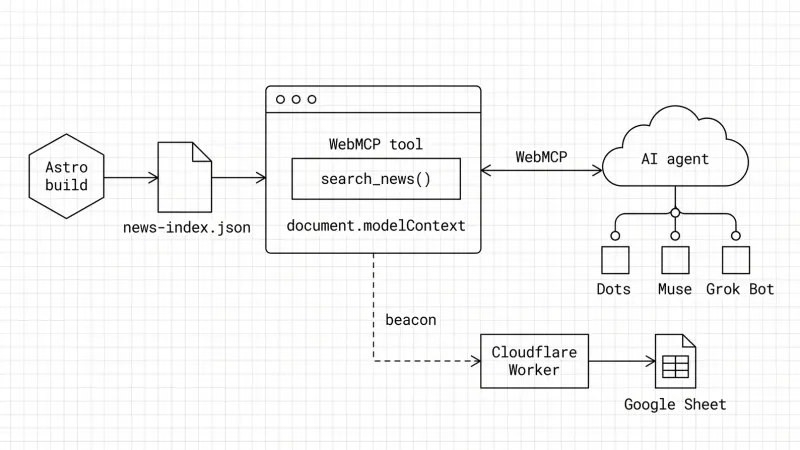
How to Build a WebMCP Tool: A Technical GEO Guide
WebMCP is a technical GEO optimization that lets AI agents call your site like an API. Here is how I built one on my blog and how I track agent calls.

ChatGPT Query Fan-Out Bookmarklet v2 (GPT-5.6)
A free bookmarklet that records ChatGPT's hidden fan-out queries live, now that GPT-5.6 no longer saves them in the conversation.

ChatGPT 5.3/5.4 Query Fan Out Extraction Bookmarklet
Get a free bookmarklet to extract the hidden search queries and citations ChatGPT uses to build its answers.
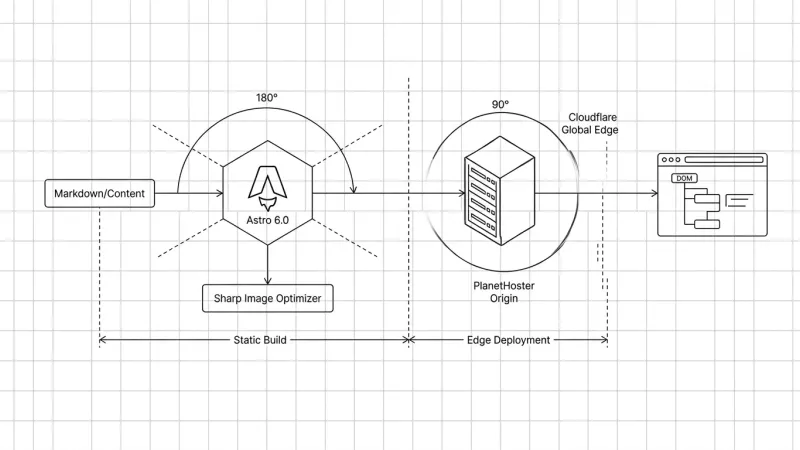
My SEO/GEO Technical Stack: Architecture and Results
Go behind the scenes of an SEO/GEO-first blog architecture. Discover how Astro, Cursor, and Cloudflare deliver perfect Core Web Vitals and peak crawlability for LLMs

Hello World: My First Website
Welcome to my personal blog. Discover why I built this sandbox to document my experiments in SEO, GEO, and AI-driven search. Here's what to expect.