My SEO/GEO Technical Stack: Architecture and Results
AI Summary
This post introduces Quentin Yacoub's personal blog SEO/GEO-first technical stack, detailing how he built a high-performance blog in 11 days using Astro and Cursor. It provides a transparent look at the architecture, costs, and AI-driven workflows used to achieve perfect Core Web Vitals while optimizing for both traditional search engines and LLM crawlers.

Table of Contents
Cet article est aussi disponible en français : Ma Stack Technique SEO/GEO : Architecture et Résultats
When I decided to build this site, my goal was simple: it had to be SEO and GEO first from the ground up. I wanted a fast, responsive, mobile-first personal blog without the usual bloated infrastructure.
I built this website in just 11 days, hitting 100 on almost every Core Web Vital for both mobile and desktop. I did this while balancing a demanding job at Adobe and a newborn. Here is a deep dive into the architecture I chose, the SEO/GEO and AI features I integrated, and the why behind it all.
Note: I will get into the weeds with some technical terms. If you just want the high level takeaways, click here to have ChatGPT summarize it for you without the jargon.
My Technical Setup
| Layer | Choice | Why it matters for SEO |
|---|---|---|
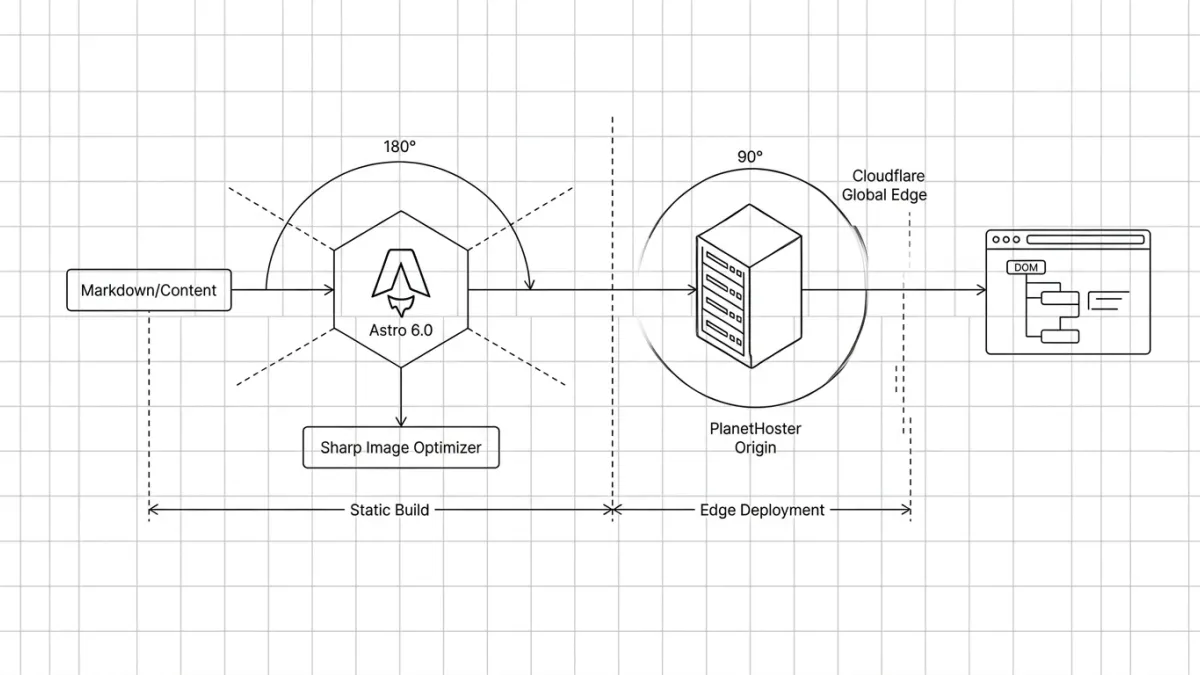
| Framework | Astro 6.0.6 | Peak performance and near instant load times. |
| Styling | Tailwind CSS 4 | Zero extra CSS file requests via inlined stylesheets. |
| Images | Sharp | Automatic resizing and compression at build time. |
| Bilingual | Built in Astro i18n | Native support for /en/ and /fr/ routing. |
| Hosting | PlanetHoster and Cloudflare | Origin server (site and Matomo), pages served from Cloudflare’s edge cache for fast TTFB worldwide. |
Just a quick disclaimer: this setup works well for my personal needs, but it is definitely not a universal solution. I am not pretending this is the ultimate way to build a site in 2026. I simply want to share my own notes and real-world tests, so we can look at the pros and cons together.
Choosing the Foundation
I do not run this website as a revenue engine; every dollar comes out of my own pocket. My goal was to minimize infrastructure costs without sacrificing an ounce of performance. Here is how the three primary architectural paths for a personal blog in 2026 stack up against each other:
| Feature or Cost | Custom Build | Traditional CMS (WP) | Headless CMS |
|---|---|---|---|
| Framework or CMS | Open Source (Free) | WordPress Core (Free) | Sanity Free Tier |
| Hosting and Domain | $145 PlanetHoster | ~$360 (WP Engine Startup) | $145 PlanetHoster |
| Themes and Plugins | $70 Custom via Cursor | $50 to $200 Premium Bloat | $70 Custom via Cursor |
| Performance (LCP) | Peak | Variable | Excellent |
| SEO and GEO Readiness | Full control | Plugin dependent | Full control |
| Scaling Penalties | None | Strict visitor limits and fees | Hard API caps |
| Maintenance | Zero | High (Security and Updates) | Managed by CMS |
| Estimated Year One | $215 | $410 to $600 plus | $215 |
Quick note on these costs:
- Hosting could easily be free if you use Vercel, Netlify, or Cloudflare. A new domain usually costs around $15 a year, depending on what you choose.
- I’ve allocated $70 for a one-month Cursor ‘sprint’ to build the site, with the goal to (ideally) stick to the free plan after that.
My Choice: The Custom Build
The Old Way: Before AI, a custom built personal blog was reserved for the elite. If you could not code, you spent thousands on a freelancer, and even if you had the skills, you would spend weeks to publish it.
The New Way With AI: With Cursor, I built this entire site in just 11 days. I worked exclusively during my 4:00 AM Dad Shift before the house woke up and a couple of weekends. I started with a rough base on Day 1, then added features one prompt at a time: the dynamic Table of Contents, the meta bar, the bilingual /fr/ routing, the AI-generated summaries, the author box, etc.
Cursor as my SEO Copilot
Building the site with Cursor was great, but maintaining it is where this stack actually shines.
Because my website is just a folder of code and Markdown files, Cursor acts as a hyper-intelligent SEO/GEO assistant with full context of my entire site. I can modify my architecture or content with a simple natural language prompt. Here are two examples for internal linking:
Instant Global Link Fixes
Imagine updating a URL that exists on 15 different pages. The traditional SEO workflow is to either painstakingly edit every link manually, or set up a 301 redirect without updating them.
With Cursor, I just prompt:
I changed the URL of my hello world post to /new website. Find every internal link across all my .md blog posts pointing to the old URL and update them to the new one. In seconds, the source files are updated. No redirect chains, no lost link equity.
Automated Internal Linking
Internal linking is critical, but tedious. Previously, we had to run manual Screaming Frog crawls to find relevant anchor text or rely on heavy plugins.
Now, I just write my new article and prompt:
I just wrote a new post about JavaScript SEO/GEO. Please scan all my previous blog posts in the /blog/ folder and inject a natural internal link to this new post where it makes semantic sense.Cursor reads the context, finds the perfect spots, and makes the edits. It turns hours of manual optimization into a 30-second task.
Why Did I Choose Astro?
I wanted a modern, interactive website that relied on as little JavaScript as humanly possible, while using the project as a sandbox to master new skills.
The Hidden Cost of JavaScript
SEO specialists working with sites heavily reliant on client-side rendering (CSR) know the struggle of dealing with standard React or Vue websites. These frameworks put massive barriers between content and bots:
- LLMs Do Not Render JS (Yet): In the GEO era, this is a dealbreaker. When AI models scrape the web, they do not execute JavaScript (yet). To an LLM, a CSR heavy page is effectively blank. At Adobe, we built a free Chrome extension to quickly check what LLM crawlers see on a page.
- Google Secondary Queue: Googlebot crawls the initial HTML first. If content needs JavaScript to populate the DOM, Google pushes the page into a secondary rendering queue. This eats up crawl budget and delays indexing.
- The Competitive Crawlability Gap: SEO is a zero sum game. If a competitor provides clean, static HTML and we provide a JS heavy bundle, bots will always choose the path of least resistance.
(I will be publishing a dedicated article soon on the true impact of JavaScript on SEO and AI Search, so stay tuned!)
The SEO/GEO Holy Grail: Pre-rendered HTML
Shipping pre-rendered HTML is simply non negotiable for me. Astro’s biggest advantage is its Island Architecture. The HTML shipped to the browser contains zero JavaScript unless you explicitly opt in.
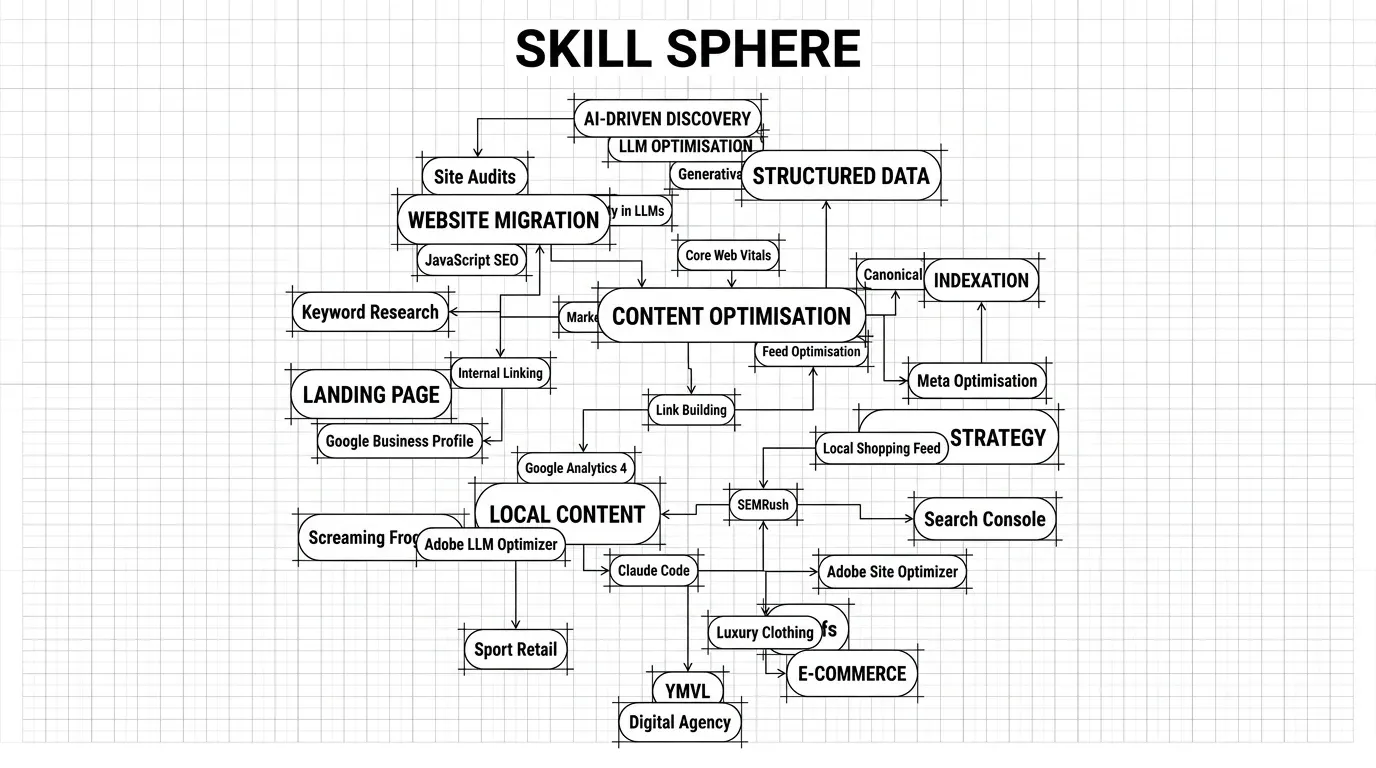
I only use interactivity when it adds genuine value. For example, the 3D Skill Sphere on my About page uses React 19 and Three.js. Because it loads independently, it never blocks the critical page rendering or the bot’s ability to read the text.
Custom Build Framework Comparison
Even within the custom build space, not all frameworks treat SEO equally. Here is why Astro won out for this project:
| Framework | JavaScript Overhead | SEO and Web Vitals Impact | Complexity for Content Sites |
|---|---|---|---|
| Astro | Zero by default | Excellent | Low |
| Next.js | Heavy | Good | High |
| Gatsby | High | Good | High |
Since my priority was to eliminate JavaScript dependencies and keep content creation simple, Astro was the natural choice.
Hosting Strategy
PlanetHoster
I could have hosted this site for free on Vercel or Cloudflare Pages (which I’ll probably do when my one-year contract ends). I chose PlanetHoster because they have servers and technical support in Montreal, which was reassuring when starting out. I also needed a traditional host to run my self-hosted Matomo analytics, which requires PHP and a MySQL database. A static host like Vercel or Cloudflare Pages can’t do that.
Update: a week after launch, I discovered something horrifying for an SEO/GEO specialist…
By default, PlanetHoster’s shared servers (The World subscription) block AI bots. I checked the logs and found Rule ID 400010 refusing crawls (403) from
ChatGPT-UserandPerplexityBot.
When I contacted support, they told me they couldn’t remove the rule for the whole server. Their solution? Upgrade to a dedicated server for $70 a month. I was shocked.
A host blocking AI bots in 2026? It makes your site invisible to ChatGPT and Perplexity. Do you realize what this means? Your content effectively doesn’t exist for the millions who use AI as their primary search engine. You’re paying for hosting that actively hides your business from the modern web!
I found a workaround using Cloudflare to let the bots through, but if I had to do it all over again, I wouldn’t have chosen PlanetHoster for this reason alone.
Cloudflare CDN
While my origin server sits in Montreal, I’m building for a global audience of Adobe colleagues and LinkedIn connections. Cloudflare’s free tier CDN serves my static assets instantly from edge nodes nearest to the user. More importantly, CDNs are also critical for search engine crawlers. By putting Cloudflare in front of my site, the Time to First Byte (TTFB) drops significantly worldwide.
Cloudflare: The Future of GEO?
Beyond traditional SEO, Cloudflare is actively innovating for the AI era. They recently rolled out features like a new /crawl endpoint and Markdown for Agents, allowing AI crawlers to parse websites in lightweight Markdown instead of heavy HTML.
Cloudflare also includes a one-click toggle to block all AI bots. As an SEO/GEO specialist, I keep this toggled firmly off. I want my content ingested. But giving site owners this control is an incredible feature.
My Stack Balance Sheet
By choosing Astro, I’ve eliminated the “WordPress Tax” and the “JavaScript Tax” simultaneously. I estimate the cost of running this website annually to be around $335. For me, this is a solid investment to have a reliable sandbox to experiment with and learn new skills. That said, you could easily bring this project down to about $85 a year if you opted out of the paid Gemini tier and used a free hosting server.
| Component | Provider | Cost |
|---|---|---|
| Building (IDE) | Cursor Pro+ | $70 |
| Content | Gemini | $160 |
| Hosting | PlanetHoster | $90 |
| Domain | PlanetHoster | $15 |
| CDN | Cloudflare | Free Tier |
| Total 1 Year | $335 |
Built in SEO/GEO Features
The SEO/GEO Engine
I hate repetitive tasks. I built a central SEO component (SEOHead.astro) that handles all my metadata automatically. Every page generates the following without any manual input:
- Canonical URLs: Built directly from the page path to prevent duplicate content issues.
- JSON LD Schemas: Every post automatically generates
Article,WebSite,AuthorandBreadcrumbListstructured data, helping Google display Rich Snippets and LLMs to understand the content. - Hreflang Tags: Properly mapped for English and French variants to ensure the correct version appears in the right region.
Global SEO/GEO Architecture
Beyond the header, I have structured the site layout to ensure search engine crawlers can navigate and index every corner of the blog effectively:
- Visual Breadcrumbs: A dynamic navigation aid at the top of each page that helps users (and crawlers) understand the website architecture instantly.
- Zero Orphan Pages: The main
/blogindex acts as a safety net, guaranteeing every single post is referenced and reachable. - Topical Authority: Related Articles are injected at the bottom of each post to help crawlers build a map of my expertise on specific subjects.
- Global Internal Links: To ensure new content is indexed immediately, the latest posts are always linked in the mega menu and footer.
- Sitemap: A list of all the available URLs on the website including images. I also include my Privacy Policy here; even with a
noindextag, I believe it sends a good trust signal. - Robots.txt: I don’t disallow anything, but it’s best practice to include it and point directly to the XML sitemap.
- The Cross Language Crawl Trick:
hreflangtags alone do not guarantee discovery. To fix this, my layout automatically checks if a post exists in the other language and displays a direct, in body hyperlink to it. This provides a second, high priority crawl path for Googlebot.
Privacy-First Tracking
When it comes to measuring performance, I rely on Google Search Console and Bing Webmaster Tools for my organic search data. For on-site analytics, I wanted to completely avoid those annoying cookie consent banners that ruin the user experience. Instead of defaulting to standard Google Analytics, I use a privacy-first cookie-less setup with Matomo. It gives me the aggregated data I actually need to optimize my content without tracking individuals across the web or collecting personal data.
Core Web Vitals Results
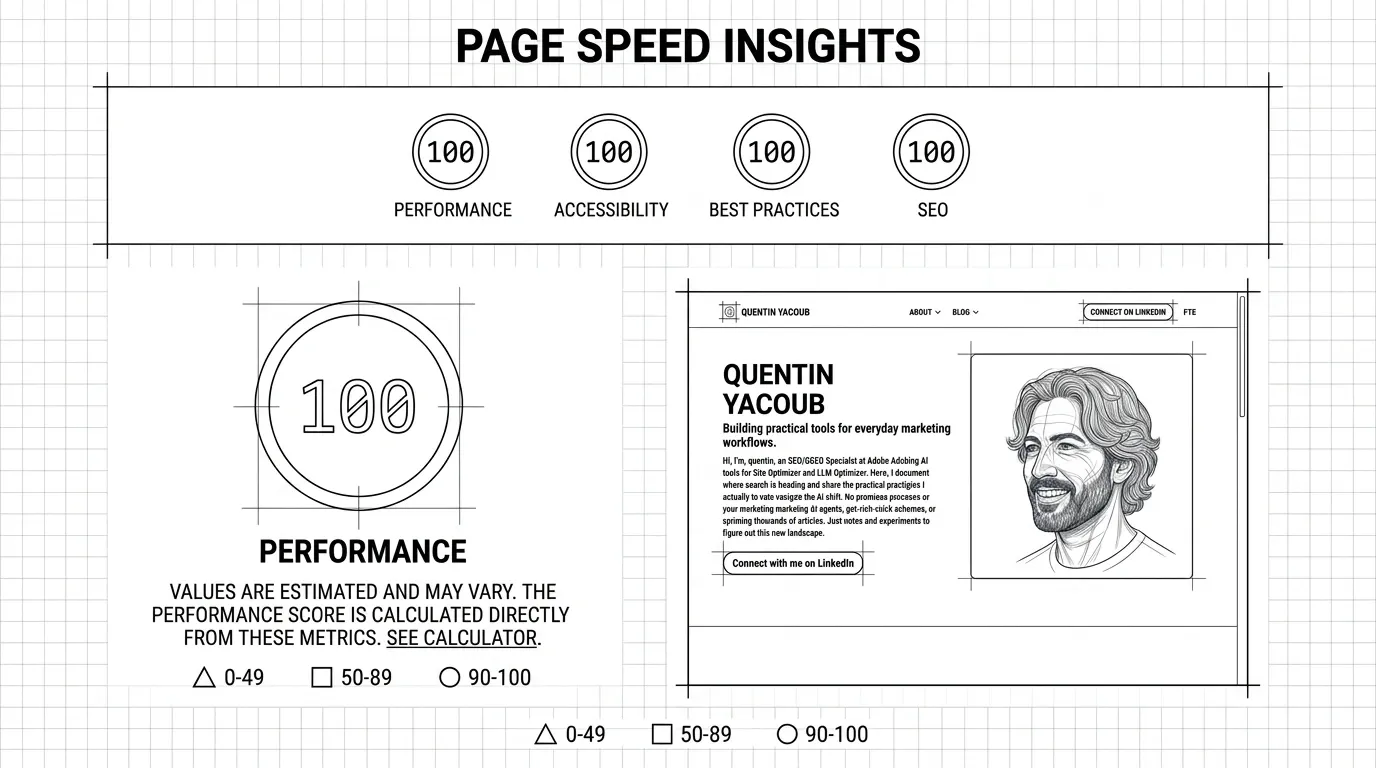
While I do not believe Core Web Vitals act as a massive ranking factor, they are a great way to benchmark page performance. Because of the architecture I chose, passing them is child’s play.
PageSpeed Insights Score
My personal blog hit perfect scores on almost every single page in mobile and desktop:
| Page | Performance | Accessibility | Best Practices | SEO |
|---|---|---|---|---|
| Home Page | 100 | 100 | 100 | 100 |
| Blog Page | 100 | 96 | 100 | 100 |
| About Page | 100 | 100 | 100 | 100 |
| Blog Index | 100 | 100 | 100 | 100 |
If you are wondering about that 96 in Accessibility on the Blog Page: I deliberately decided to keep the classic ChatGPT green (#10a37f) with white text on my summarize button. It technically fails WCAG contrast requirements for small text, but I prioritized instant brand recognition over a flawless vanity metric.
Optimizing CWV with Cursor
I simply fed my PageSpeed Insights report into Cursor, asked it to create an optimization plan, reviewed the steps, and hit implement. In a couple of hours, and a few tries, I hit nearly 100% across the board on every page.
AI Features
Since my focus is GEO, I built features that cater to how people interact with LLMs:
- NotebookLM Audio: Clicking the ‘Listen’ button in the meta bar renders a native
<audio>player, allowing you to listen to a briefing-style overview generated by Google NotebookLM. - ChatGPT Summarize Button: I added a button that instantly sends the article to ChatGPT, generating a concise summary in a new tab for readers who just want the bottom line.
- AI Summary Boxes: I include AI-generated summaries at the top of my posts. This provides immediate value to busy human readers while giving AI scrapers perfectly structured context.
The Pros and Cons of an Astro and Cursor Build
If you are a marketer, SEO, or content creator reading this and wondering if you should nuke your WordPress site today, here is the honest reality of running a custom, AI built stack.
The Pros of an Astro Custom Build
| Benefit | Why it matters |
|---|---|
| Unbeatable SEO/GEO | You serve raw, static HTML. Passing Core Web Vitals is the default, and it is the most LLM friendly way to present content. |
| Zero Maintenance | No databases to update, no PHP versions to manage, and no zero day plugin vulnerabilities to patch. |
| God Mode Management | With Cursor, you can execute site-wide architectural changes and mass internal linking in seconds via prompts. |
| Cost Efficiency | Aside from the domain and base hosting, your recurring software and infrastructure costs are effectively zero. |
The Cons of an Astro Custom Build
| Drawback | The Reality |
|---|---|
| AI Tether | You are dependent on AI tools like Cursor for complex features. If you stop paying for it, your ability to evolve the site stalls. |
| No Visual Editor | There is no drag-and-drop Gutenberg editor. You write all posts in raw Markdown, which can feel alien at first. |
| Learning Curve | Even with AI, you still need a baseline understanding of web hosting, DNS records, and local file management to launch. |
For me, the tradeoff is a no-brainer. The minor friction of writing in Markdown is heavily outweighed by the massive SEO and GEO advantages and the sheer speed of the site.
What’s Next?
Building an SEO/GEO first architecture is just step one. Step two is measuring the machines.
Since launching, I have been recording exactly what happens under the hood after hitting publish. In an upcoming article, I will share the exact timeline of how quickly Google and Bing crawled and indexed this setup. More importantly for GEO, I will reveal how long it took for major LLMs to update their internal knowledge graphs about my content.
If you are testing similar setups or navigating this shift in AI search, let’s compare notes. Or if you have any questions feel free to reach out to me on LinkedIn.
Please note: All opinions and blog posts shared on this website are strictly my own personal projects. They do not represent the views, strategies, or official products of my employer, Adobe.

Hi, I'm Quentin, an SEO/GEO Specialist at Adobe building AI powered tools for Site Optimizer and Brand Visibility. I use this site to document my thoughts on where search is heading in the age of AI, and to share the strategies and shortcuts I rely on.
Connect on LinkedInRelated Articles
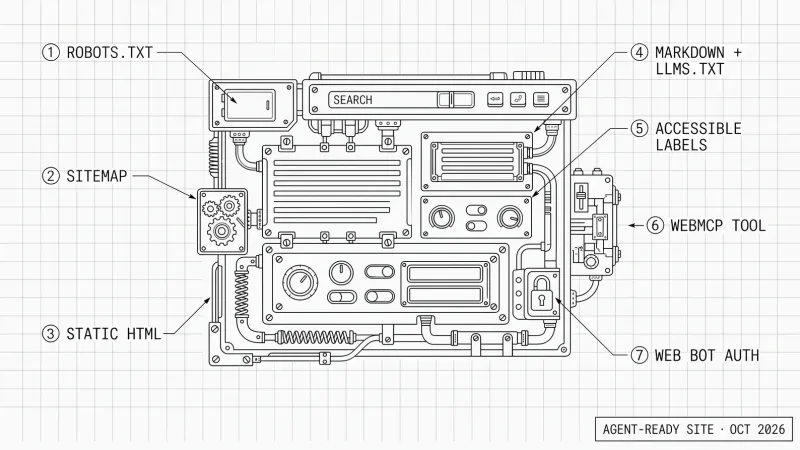
How to Optimize Your Website for Personal AI Agents
Personal AI agents like Dots, Muse and Grok Bot now use websites. Here is PAO, Personal Agent Optimization: how I prepare my site, and why accessibility comes first.
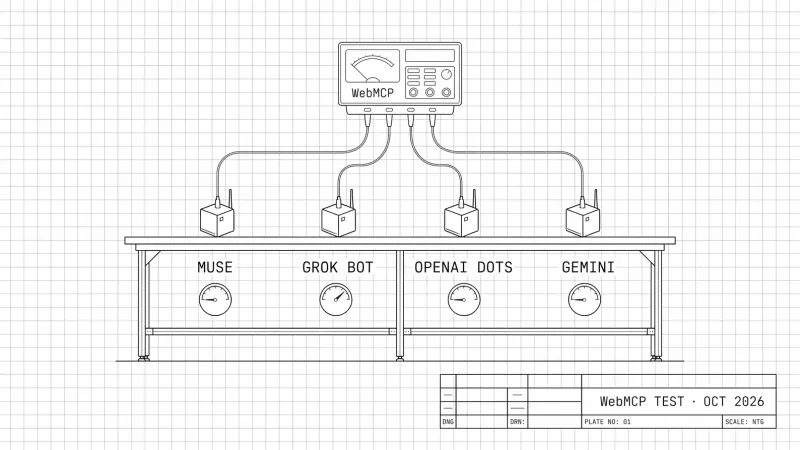
Do Personal AI Agents Use WebMCP? (October 2026 Benchmark)
October 2026 benchmark: four personal AI agents, my WebMCP news tool, a car booking and a form. Which agents used WebMCP, how fast, and what my logs saw.
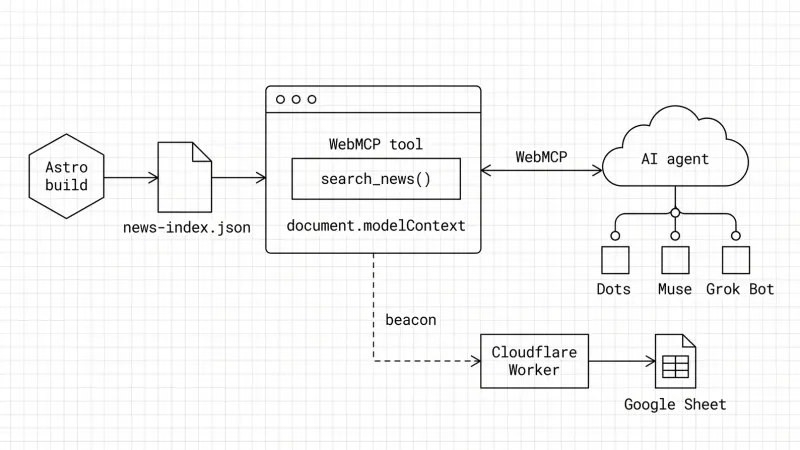
How to Build a WebMCP Tool: A Technical GEO Guide
WebMCP is a technical GEO optimization that lets AI agents call your site like an API. Here is how I built one on my blog and how I track agent calls.
ChatGPT Query Fan-Out Bookmarklet v2 (GPT-5.6)
A free bookmarklet that records ChatGPT's hidden fan-out queries live, now that GPT-5.6 no longer saves them in the conversation.
ChatGPT 5.3/5.4 Query Fan Out Extraction Bookmarklet
Get a free bookmarklet to extract the hidden search queries and citations ChatGPT uses to build its answers.