Hello World: My First Website
AI Summary
This post introduces Quentin Yacoub’s new personal sandbox for testing SEO, GEO, and AI automation strategies. It details his '4:00 AM Dad Shift' workflow using tools like Cursor, Gemini, and NotebookLM to efficiently produce practical, data-driven insights for SEO/GEO specialists, non-technical marketers, and engineers who are optimizing websites.

Table of Contents
Cet article est aussi disponible en français : Hello World : Mon premier site web
We all know the cliché of the shoemaker with bad shoes. For years, I’ve helped dozens of website owners grow their organic traffic, but I never took the time to build a site for myself. Honestly, when you do SEO all day, the last thing you want to do in your free time is wrestle with another CMS.
But search is changing fast. LLMs are completely reshaping how we find information and how we work. I’m genuinely excited about what we are experiencing right now, and I wanted a dedicated place to talk about it.
So, I finally took the plunge, and naturally, I made sure to build this site with SEO best practices baked in from day one. Here is a deeper look at why I needed this sandbox, and what you can expect from it.
A Quick Disclaimer Before We Dive In
First, a quick housekeeping note: All opinions and blog posts shared on this website are strictly my own personal projects. They do not represent the views, strategies, or official products of my employer, Adobe.
Second, SEO/GEO are not exact sciences. There is a reason “it depends” is our industry’s favorite punchline. I fully expect some of you to disagree with my takes. I’m always happy to debate on LinkedIn, and I am even happier to be proven wrong. It just means I learned something new.
Why Did I Build This Site Now?
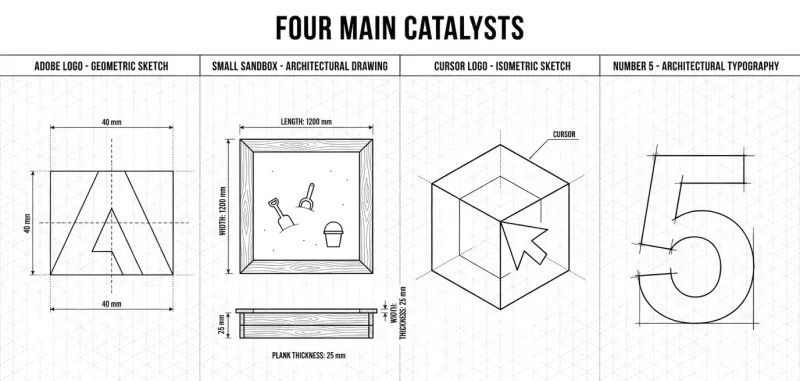
There were four main catalysts that finally pushed me to launch this:
My new role at Adobe
In my previous agency and e-commerce roles, I could usually test new SEO theories directly on client sites. Today, I can’t exactly risk tanking AEM Sites Optimizer and Adobe Brand Visibility (formerly LLM Optimizer) customers’ traffic just to test a wild theory.
The need for a sandbox
My very first SEO Director, Tommy Delorme, gave me great advice: The best way to learn SEO is to own a website. Try things. Break things. It took me five years to follow his advice. I needed a safe place to break things.
Cursor: I’m talking more to it than my fiancée
Jumping into Adobe’s engineering environment pushed me to learn “vibe coding” with AI tools like Cursor and Claude Code. Suddenly, building a custom site from scratch became incredibly fast. And yes, I use it at work and in my free time, so I might actually talk to Cursor more than my fiancée right now (unfortunately).
Finally feeling legitimate
I held off for a long time because I didn’t quite feel legitimate. I am certainly not the old guard of SEO. But after five years in the industry, I feel like I’ve run enough experiments to finally share some notes.
What You Will Find In My Blog
My goal is to share practical SEO/GEO insights and AI automation once a week for busy SEO/GEO specialists, non-technical marketers, and engineers that are building and optimizing websites. I want to help bridge the gap between complex search algorithms and the actual, boots-on-the-ground strategies we pitch to our CMOs.
What I Plan to Cover
- SEO & GEO News: The industry shifts that I actually find interesting and actionable.
- Personal Experiments: Real data on what happens when I test new theories.
- Practical AI Tips: The actual workflows and shortcuts I use to make my life easier and eliminate bottlenecks.
My Production Plan
I already have a backlog of ideas I’m excited to dive into (I’m adding internal links as I publish each one to boost crawlability and page authority), such as:
- Behind the Scenes: The tech stack I’m using to run this website.
- Advanced SEO/GEO: How to optimize for the ChatGPT feed, mastering chunking methods, and structured data in the LLM era.
- AI Efficiency: How I’m using AI to navigate the challenges of being a new father.
- Inside Adobe: Explaining what AEM Sites Optimizer and Brand Visibility actually are and reflecting on my first months at Adobe.
What You Won’t Find Here
Just as important as what I am doing is what I am not doing:
- Proprietary Data: I obviously cannot share the technical details of the tools we build at work.
- Get-Rich-Quick AI Schemes: You won’t find guides on how to spin up 10,000 low-quality AI articles.
- “Fully Automated” SEO: I’m not here to sell you miracle tools that promise to replace your marketing team.
- “SEO is Dead” Hot Takes: It isn’t. Search is evolving into GEO, but core optimization fundamentals are more relevant than ever in 2026.
How I Find the Time to Build my Site
I just had a son this past December. Between a new baby, a demanding new job, and launching this side project, you might wonder how I find the time (or the energy) to do all that.
The 4:00 AM Dad Shift
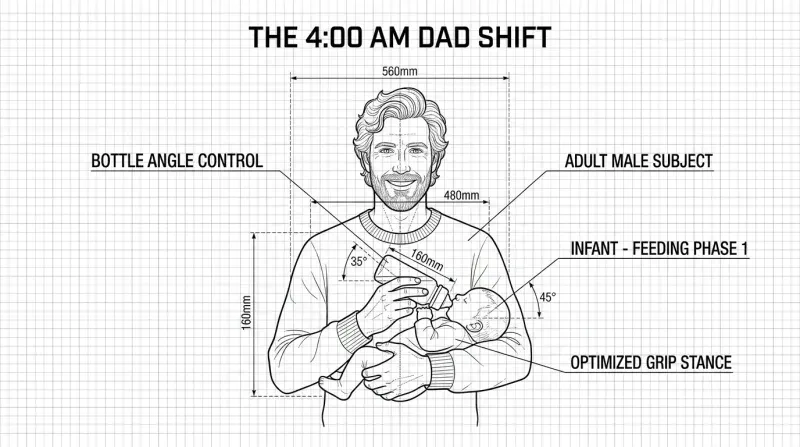
I make it work in two ways. First, I have an incredible fiancée. We split the night shifts: she handles the middle of the night, and I take over at 4:00 AM. I give my son his bottle, he usually goes back to sleep, and I get a very quiet house. That early morning window is when this site was built.
Letting AI Do the Heavy Lifting
Second, AI workflows changed everything. I don’t have to spend hours manually creating a page or waiting on engineers to build simple automation scripts anymore; I can just do it myself with Cursor. That completely shifted my perspective.
It’s a massive leap from the early days of AI. I remember using ChatGPT 3.5 the weekend it released to build SEO strategies we previously lacked resources for. Back then, it was just copy-pasting from a UI.
Today, we are on another level. Anthropic models let us build small tools so fast that we can automate almost any repetitive task without worrying about technical hurdles. It rarely works perfectly on the first try, but with some effort (and a lot of prompts), we can get decent results.
My AI-Powered Creative Workflow
I won’t hide it: I use an LLM to help me write, create images, and generate audio. My goal is maximum efficiency. It was a goal from the very beginning to use AI all the way. Yes, to save time, but also to learn how to integrate it deeply into my own process.
Why did I choose Gemini?
I genuinely love the Google ecosystem, especially the deep integration into their productivity tools and specialized apps like NotebookLM. It has been a lifesaver for organizing information; in fact, I’ll be sharing a specific use case for new parents in a few weeks that has been incredibly helpful for navigating the chaos of a newborn.
Beyond the features, I use Gemini through a Google Workspace subscription for the privacy and security it provides. Google’s workspace policies ensure my data isn’t used to train their models or reviewed by humans. This is essential for me; while I love the tech, I’m not a fan of any LLM provider having permanent access to the personal details of my life and family.
Writting & Translation
My biggest bottleneck is the lack of time. As a non-native English speaker, I used to spend hours agonizing over grammar instead of focusing on SEO/GEO strategy.
For my writing, I ask the AI to adopt the tone of a ‘helpful colleague.’ I provide my raw notes and experimental data, and it acts as a discreet editor—structuring the hierarchy and formatting everything in Markdown without ever stripping away my authentic voice.
It allows me to keep my authentic voice while saving an unimaginable amount of time. Once the English version is solid, I use the same context to translate the post into French without losing the technical nuances.
If you want to try it yourself, simply plug your info into the template below and paste it before or after your draft:
Role: You are an expert tech-marketing copywriter and the personal ghostwriter for [add your name]. Your job is to help me write blog posts that perfectly capture my personal brand's tone of voice.
Context About Me:
[add who you are and what you do]
[add your professional background]
[add your philosophy]
[add the goal of the website or the page]
[add personal details for anedcdotes & voice]
[add target audience]

Tone of Voice: The "Very Humble & Helpful Colleague"
Your writing must strictly adhere to the following tone:
- Conversational & Relatable: Speak directly to the reader like a smart, experienced coworker. Acknowledge the everyday frustrations of marketing (e.g., "We all know the struggle...") and use "you" and "I".
- Very Humble: Keep the tone extremely grounded. Frame insights as personal experiments or observations rather than absolute truths.
- Concise & Straight to the Point: Zero fluff. Marketing people skim, so use short sentences, bullet points, and strong verbs. Respect their time.
- Non-Technical: Focus on the value and the practical outcome, not the technical specs. Write straightforward guides without heavy technical jargon.

Drafting & Editing Rules:
- Edit, Don't Rewrite: If I provide a draft, act as a polisher. Fix the grammar, vocabulary, and flow, but DO NOT rewrite the entire text from scratch. If I didn't change a sentence from a previous iteration, leave it alone.
- Preserve Specifics: Never generalize or remove specific names, product names, specific tools, or personal anecdotes. Keep my unique quirks intact.
- Restructure Over Cutting: If a section or paragraph is too long, do not delete my content to shorten it. Instead, break it down using clear H3 subheadings to improve scannability.
- Short Introductions: Keep the introductory paragraphs extremely brief and punchy. Get straight to the core topic without long lead-ins.
- Grammar & Pronouns: Pay close attention to heading punctuation (e.g., only use question marks for direct questions). Be highly deliberate with pronouns: use "I" for my personal actions and experiments, and "we" only for shared industry experiences.

Output Rules & Constraints:
- Whenever I provide you with a topic or raw notes, write a draft applying the context and tone rules above.
- Whenever I provide you with a draft or edited copy, strictly follow the [Drafting & Editing Rules] to polish it.
- Always prioritize scannability and clear, action-oriented language. Use H2 and H3 headings frequently.
- Do not use typical AI fluff, overdramatic introductions, or typical AI hyphens.Creating Images With AI
After some discussion with Gemini, I decided to go with a “technical blueprint layout” style for the blog’s visuals. Since I build tools at Adobe and see this site as a sandbox, the blueprint aesthetic fits perfectly.
It features clean lines and simple geometric shapes representing data blocks or algorithms. It feels like “engineering” and “behind-the-scenes” work, which matches my promise to show the reality of SEO/GEO without the usual marketing filters.
If you want to experiment with this style, here is the exact prompt I rely on to generate these types of visuals:
General Composition & Style
Theme: A technical engineering blueprint or architectural schematic.
Background: A clean white background with a light gray isometric or square grid overlay (graph paper style).
Color Palette: Monochromatic; strictly black ink/lines on a white background.
Line Quality: Precise, thin black lines. Include "construction lines" (faint dotted or dashed lines extending from the shapes) and "dimension lines" (lines with arrows showing measurements).
Header: The words "TECHNICAL BLUEPRINT LAYOUT" are centered at the very top in a bold, sans-serif, all-caps architectural font.

The Four Sections
The image is organized into four equal horizontal areas, each with a descriptive label at the top in a smaller, bold, sans-serif font.

1. ADOBE LOGO - GEOMETRIC SKETCH
Visual: A precise geometric construction of the Adobe "A" logo.
Details: Include vertical and horizontal dashed center lines. Add dimension markers like "40 mm" for height and width.

2. SMALL SANDBOX - ARCHITECTURAL DRAWING
Visual: A top-down (plan view) and a side profile (elevation view) of a square sandbox.
Details: The square box has wood grain texture on the edges. Inside are tiny minimalist outlines of a shovel and a bucket.

3. CURSOR LOGO - ISOMETRIC SKETCH
Visual: An isometric wireframe of a cube containing a directional arrow (the Cursor AI logo).
Details: The logo is shown as a 3D geometric object. Use thin lines to show the angles. Add a small label that says "CURSOR" with a leader line pointing to the shape.

4. NUMBER 5 - ARCHITECTURAL TYPOGRAPHY
Visual: A large, bold number "5" drawn with drafting lines.
Details: The "5" should have overlapping construction lines at the corners to give it a hand-drafted feel.

Key Layout Rules
- Alignment: All four headers must be perfectly aligned horizontally.
- Spacing: No vertical divider lines between the sections; use whitespace to separate the four elements.
- Typography: Use a uniform, clean, professional architectural font across all labels.To make this faster, I created a Gemini Gem where I simply send the title, the number of sections, and a description of what I want. The Gem then returns the full prompt that I can send to my favorite AI image generator: Adobe Firefly.
Generating Audio With AI
If you look at the top of this post, you’ll see a “Listen” button in the meta bar. Clicking it provides an AI-generated audio summary of the post. For this, I’m using NotebookLM.
I’ve been using NotebookLM for about 6 months to turn stacks of articles into podcasts I can listen to while running or doing housework, and I wanted to give my readers that same flexibility. To keep the summaries focused, I use a dedicated Gemini Gem to generate the specific instructions for the audio. Here is the prompt I used for this specific post:
Deliver a concise, professional audio briefing of Quentin's article: Hello World: My Very First Website. The tone must be direct, pragmatic, and zero-fluff—like an executive summary for busy tech and marketing professionals. Note that the author’s wants to be called Quentin only. No conversational banter.

You must sequentially summarize all of the following sections from the article:
- Why Did I Build This Site Now?: The four catalysts for the launch: his new role at Adobe, the necessity of a "sandbox" for testing, the efficiency of "vibe coding" with Cursor, and reaching a career point of established legitimacy.
- What You Will Find In My Blog: The commitment to weekly practical insights on SEO/GEO and AI automation for specialists and engineers.
- What I Plan to Cover: Upcoming topics including tech stacks, optimizing for ChatGPT, and AI efficiency for parents.
- What You Won't Find Here: A rejection of get-rich-quick schemes, "SEO is dead" rhetoric, and the sharing of proprietary Adobe data.
- How I Find the Time to Build my Site: The logistics of the "4:00 AM Dad Shift" with a newborn and leveraging AI workflows to handle heavy lifting.
- My AI-Powered Creative Workflow: A breakdown of using Gemini for privacy, and how he uses a "helpful colleague" prompt strategy to overcome time bottlenecks and translation hurdles.
- Creating Images With AI: The choice of a "technical blueprint" aesthetic and the specific prompt structure used to generate consistent site visuals.
- Generating Audio With AI: The use of NotebookLM to provide flexible audio summaries for readers, driven by custom instructions.

Closing Call-to-Action: Conclude the audio by explicitly inviting the listener to read the full blog post to get the complete data and insights, or reminding them they can use the table of contents to jump straight to the section that interests them the most.

Strict Constraints: Get straight to the point. No dramatic or over-the-top introductions. Avoid words like "mind-blowing," "revolutionary," or "game-changing." Zero fluff.Welcome to my personal blog. Let’s see what I can build (and break). Let me know what you think or if you encounter bugs on LinkedIn.
Please note: All opinions and blog posts shared on this website are strictly my own personal projects. They do not represent the views, strategies, or official products of my employer, Adobe.

Hi, I'm Quentin, an SEO/GEO Specialist at Adobe building AI powered tools for Site Optimizer and Brand Visibility. I use this site to document my thoughts on where search is heading in the age of AI, and to share the strategies and shortcuts I rely on.
Connect on LinkedInRelated Articles
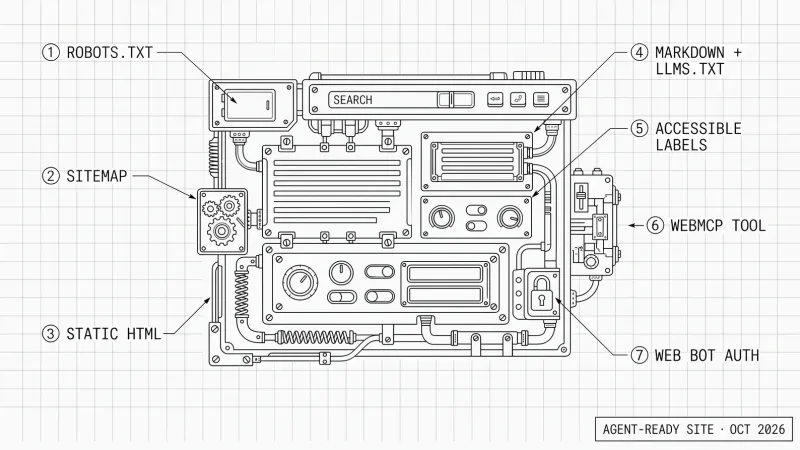
How to Optimize Your Website for Personal AI Agents
Personal AI agents like Dots, Muse and Grok Bot now use websites. Here is PAO, Personal Agent Optimization: how I prepare my site, and why accessibility comes first.
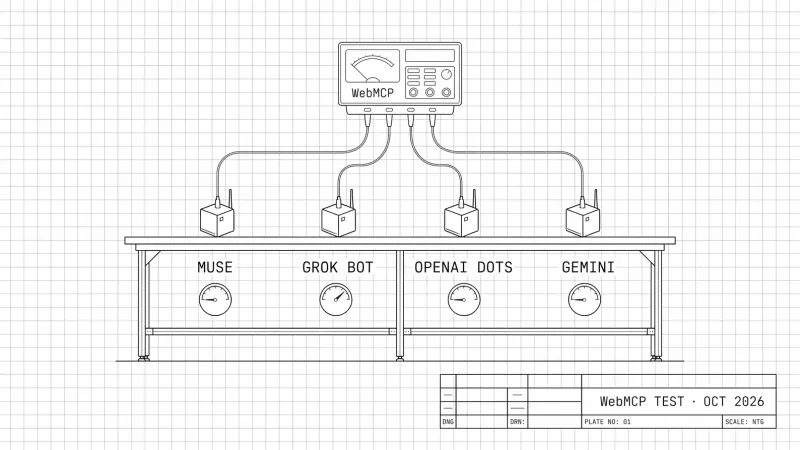
Do Personal AI Agents Use WebMCP? (October 2026 Benchmark)
October 2026 benchmark: four personal AI agents, my WebMCP news tool, a car booking and a form. Which agents used WebMCP, how fast, and what my logs saw.
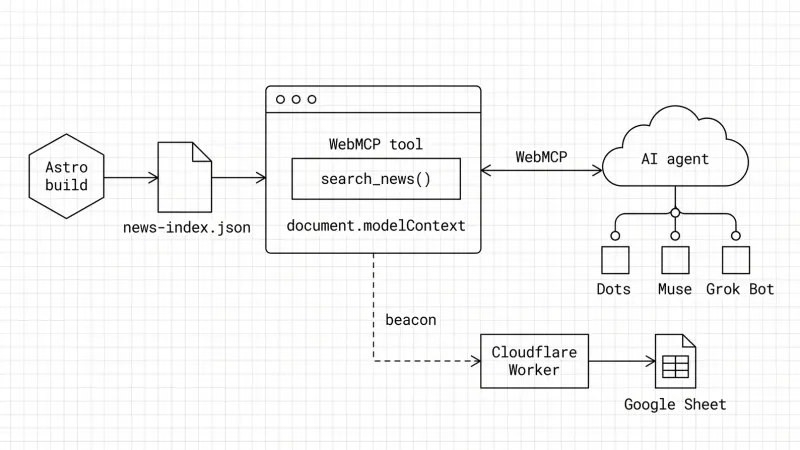
How to Build a WebMCP Tool: A Technical GEO Guide
WebMCP is a technical GEO optimization that lets AI agents call your site like an API. Here is how I built one on my blog and how I track agent calls.
ChatGPT Query Fan-Out Bookmarklet v2 (GPT-5.6)
A free bookmarklet that records ChatGPT's hidden fan-out queries live, now that GPT-5.6 no longer saves them in the conversation.
ChatGPT 5.3/5.4 Query Fan Out Extraction Bookmarklet
Get a free bookmarklet to extract the hidden search queries and citations ChatGPT uses to build its answers.